
The shot you saved isn't the site
Open any working designer's inspiration folder and most of it is Dribbble and Behance screenshots: a hero section, a hover state, a nicely cropped mobile screen. They're useful for a quick visual hit, but they're also a dead end. A Dribbble shot is a still image of a moment in a design file, not the live product. You can't inspect it, you can't see how it renders at different widths, and you often can't tell what fonts or colors the team actually shipped versus what just looked good in the mockup.
What you lose when you only save the shot
Dribbble and Behance are good at showing intent, not execution. A shot tells you the designer wanted a soft gradient and a serif headline. It doesn't tell you:
- Which font is actually loaded in production, and what it falls back to
- The real hex values the team shipped, which are often adjusted from the mockup during build
- What the page is built on (hand-coded, Webflow, a React app), which affects how closely you can borrow the pattern
- How the layout behaves on scroll, hover, or at a phone width, since a static shot only shows one frame
Most Behance case studies, and plenty of Dribbble shots, link out to the live project. That link is the part worth saving, because it's the only version of the reference that still carries all of that information.
Save the live site, not just the still
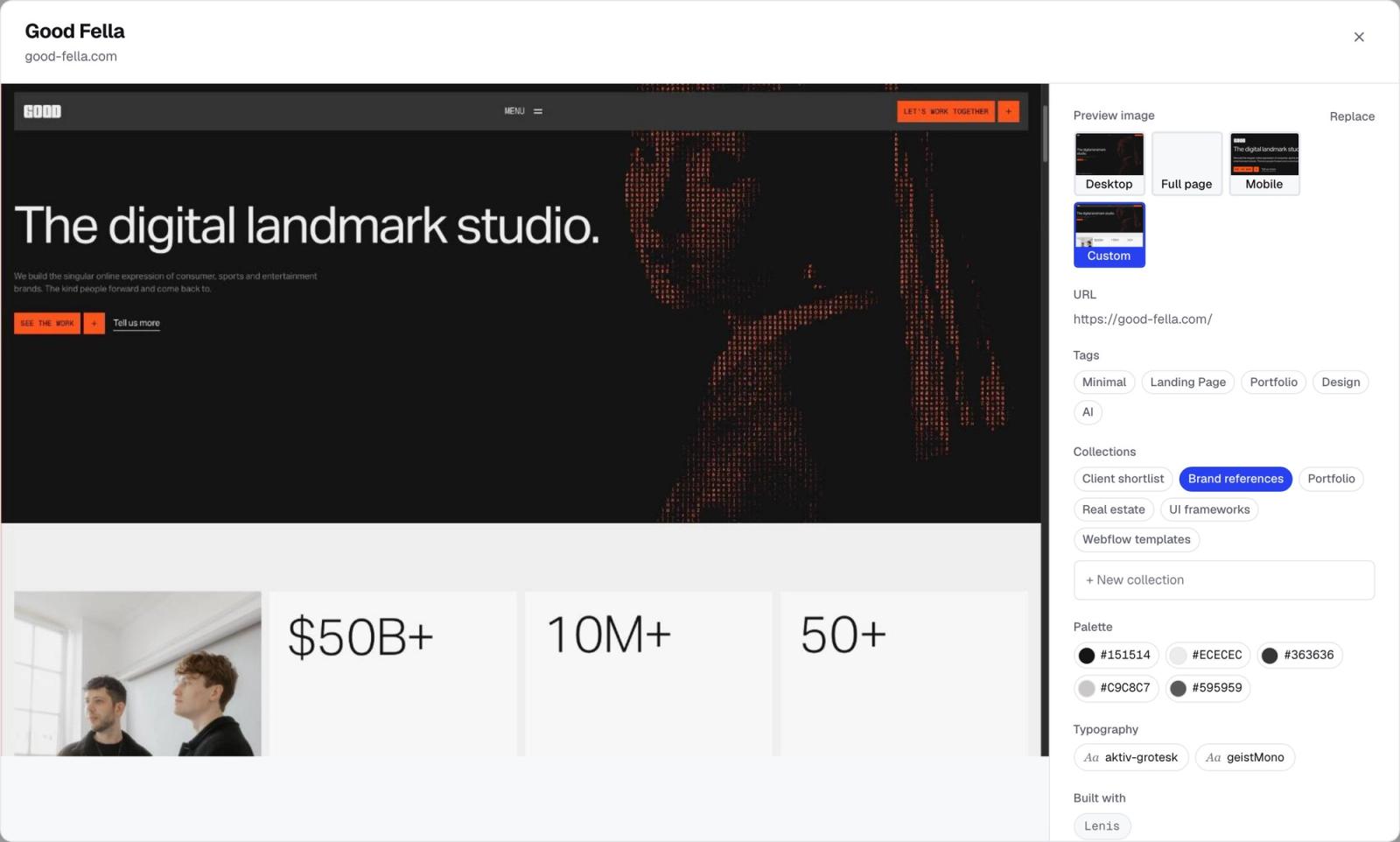
The fix is simple: when a shot links to a real, shipped website, save that instead of, or alongside, the shot. A one-click browser extension can capture the live page directly. It takes the screenshot itself, pulls the actual color palette and fonts the page is using, detects the tech stack, and adds AI-generated tags, all in the time it takes to click once. You end up with the same visual hit as the Dribbble shot, except everything underneath it is real.
This matters most for anything you intend to build from. If you're pulling a reference into a client proposal or an AI builder prompt, a mockup screenshot will quietly mislead you. The fonts might not be licensed for the web, the gradient might render differently in a browser than in the design file, and the layout might not be responsive at all. A capture of the live page carries the actual implementation details, so whatever you reuse from it is reuse of something that already shipped.
When the shot is still worth saving on its own
Not every piece of good work has a live counterpart. Concept shots, rebrand explorations, and a lot of Dribbble content exist only as images; there's no site to visit. In that case, save the shot itself. It's still a legitimate visual reference, it just won't carry fonts, palette, or tech stack with it the way a live capture does. Treat it as a mood reference rather than a build reference, and keep both kinds in the same library so you're not maintaining two separate systems for "images I liked" and "sites I can actually learn from."
Keep both kinds of reference organized by how they look, not where they came from
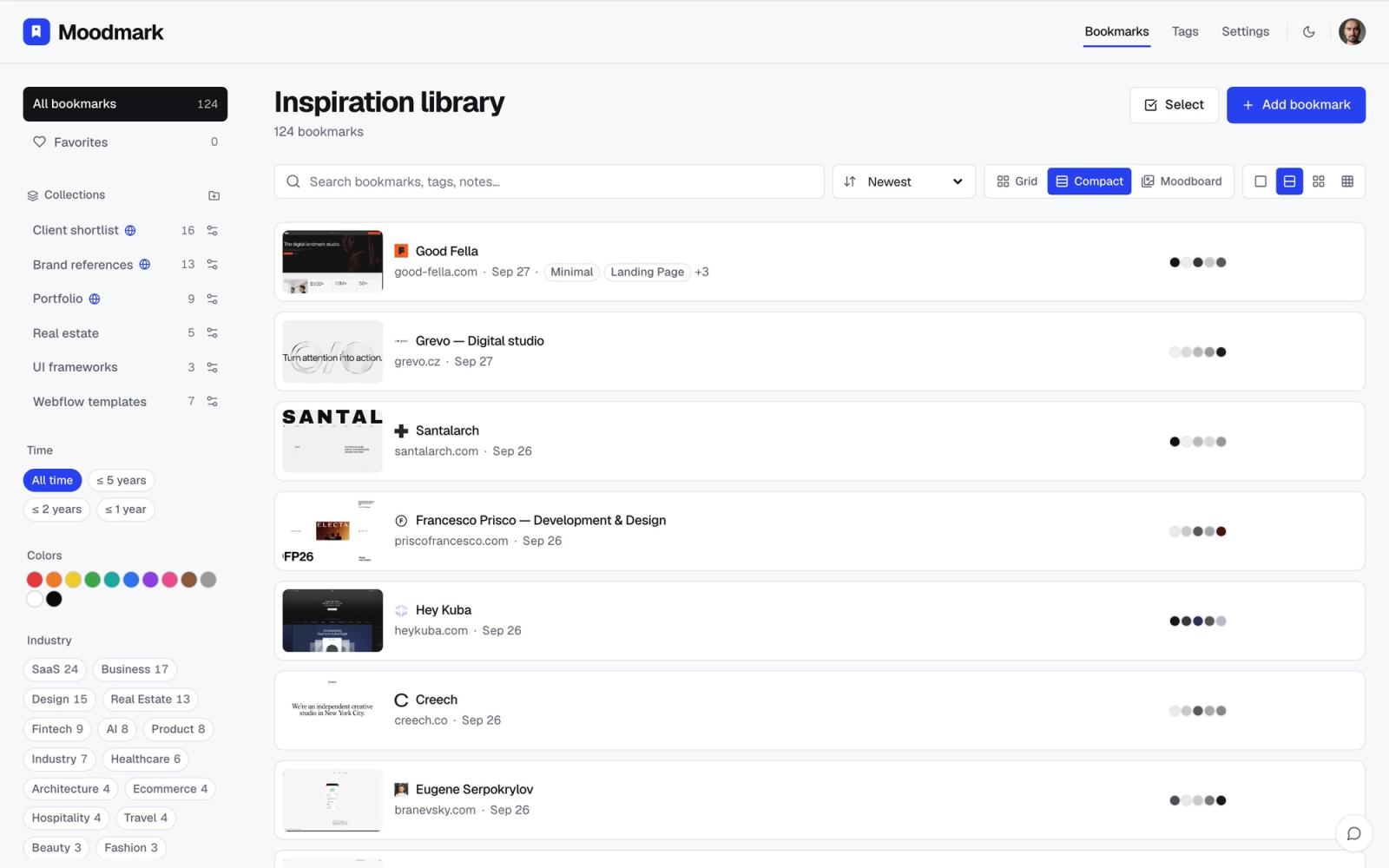
Once you're saving live sites alongside screenshot-only shots, the platform they came from stops mattering. What matters is how each one looks and what it's for. Tag by color, by style, by industry, whatever matches how you actually think when you're looking for something later ("that warm beige portfolio," not "that Dribbble shot from March"). A library you can filter by color or style surfaces the right reference regardless of whether it started on Dribbble, Behance, or a client's live site.
Turning a mixed mood board into something you can show a client
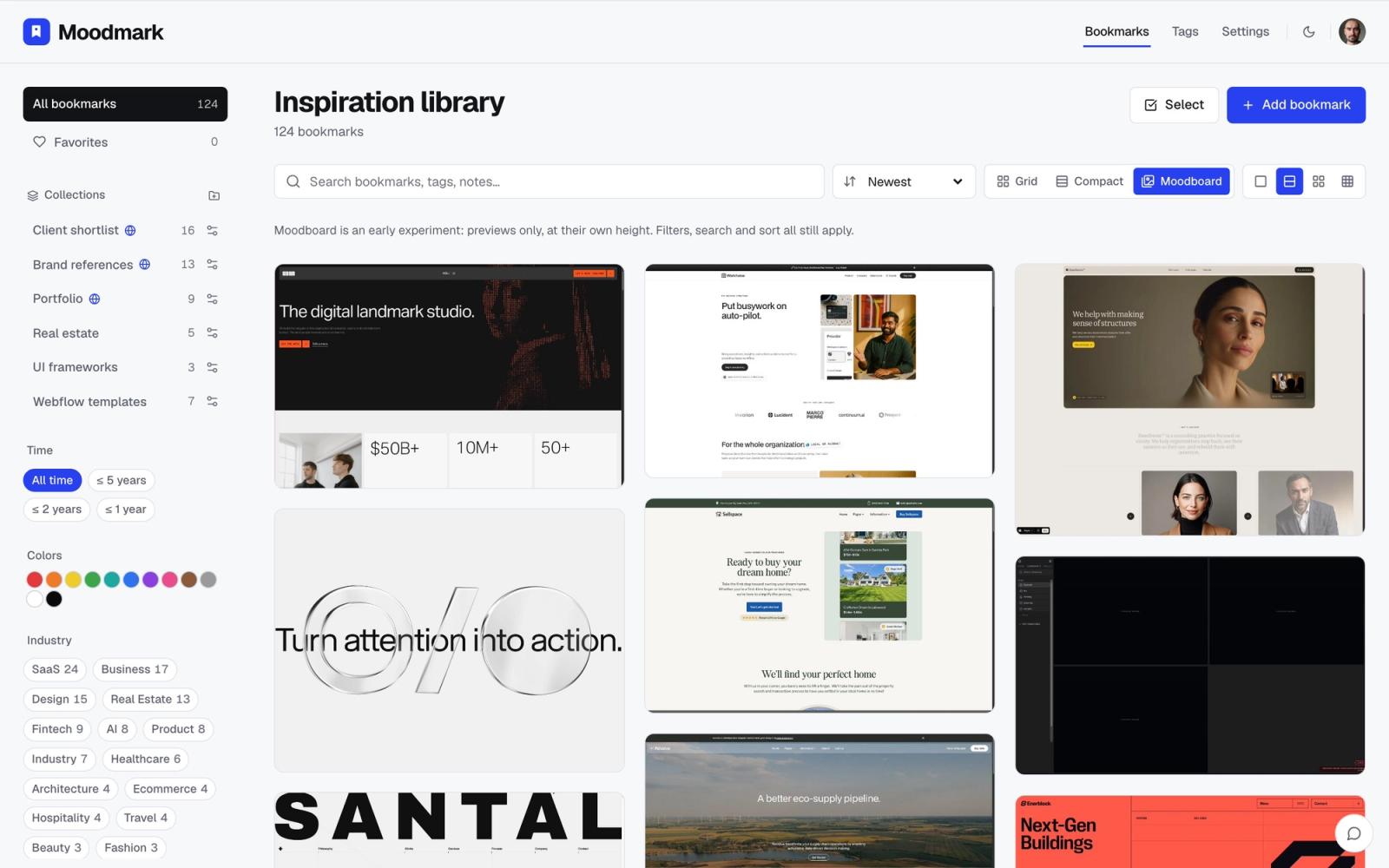
When it's time to present, the mix stops being a liability and becomes the point. A client doesn't care that three of your references came from Behance and two were sites you found on your own; they care about the direction. Pull the filtered set into a moodboard view so it reads as one wall of references instead of a scattered folder, and share that instead of a deck of screenshots pasted into Figma.
The quick version
- Save the shot for a quick visual hit; it's enough for concept work and pure mood references
- When a shot links to a live project, save the live page instead, so you keep the real fonts, colors, and tech stack
- Tag everything by how it looks, not by which platform it came from
- Pull the filtered set into one wall when you need to present it, rather than exporting a flat screenshot deck
Questions & answers
Should I save the Dribbble shot or the live site it links to?
Save the live site whenever one exists. A capture of the real page keeps the actual fonts, color values, and tech stack, which the Dribbble shot alone can't show you. Save the shot itself only when there's no live version to visit.
Can a browser extension capture fonts and colors from any website?
Yes. A one-click capture extension can read the page's actual rendered fonts and color palette along with a screenshot, rather than relying on how a mockup looks in a design file.
How do I keep Dribbble and Behance references from cluttering a design library?
Tag and filter by visual attributes like color, style, or industry instead of sorting by source platform. That way a Dribbble shot and a live site reference sit in the same filtered view when they look alike.
